Resume templates
Designs in standard resume formats, each tested with ATS parsers. Pick one, make it yours, and switch any time.
29 templates shown
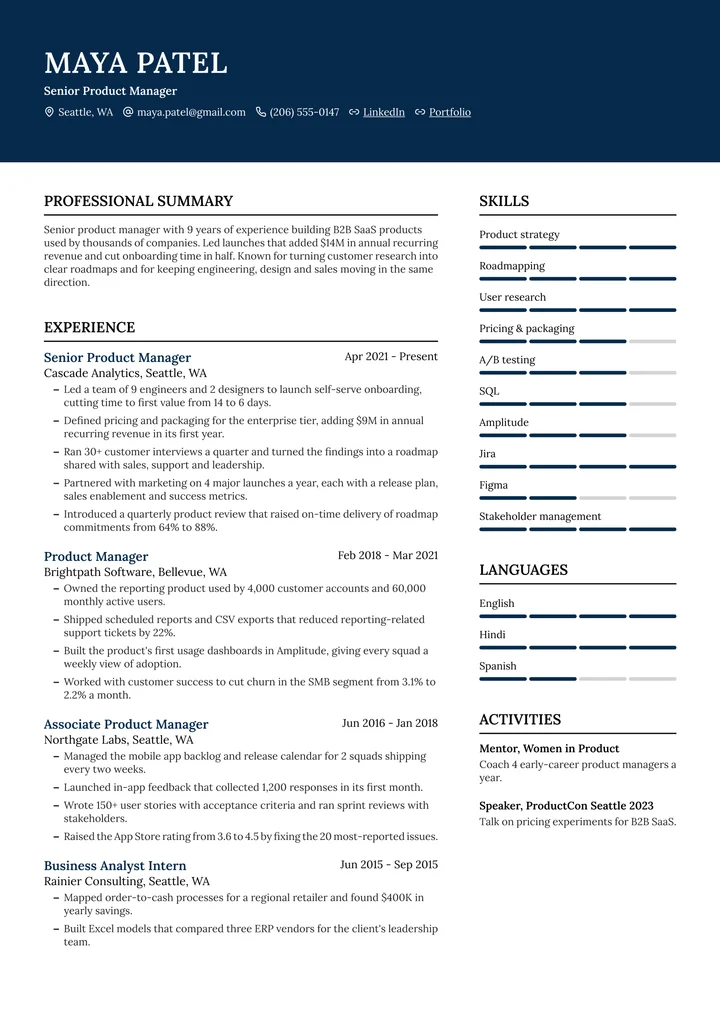
Zenith
Two columnsA dark header with your photo, then your story on the left and skills in a sidebar.
See the template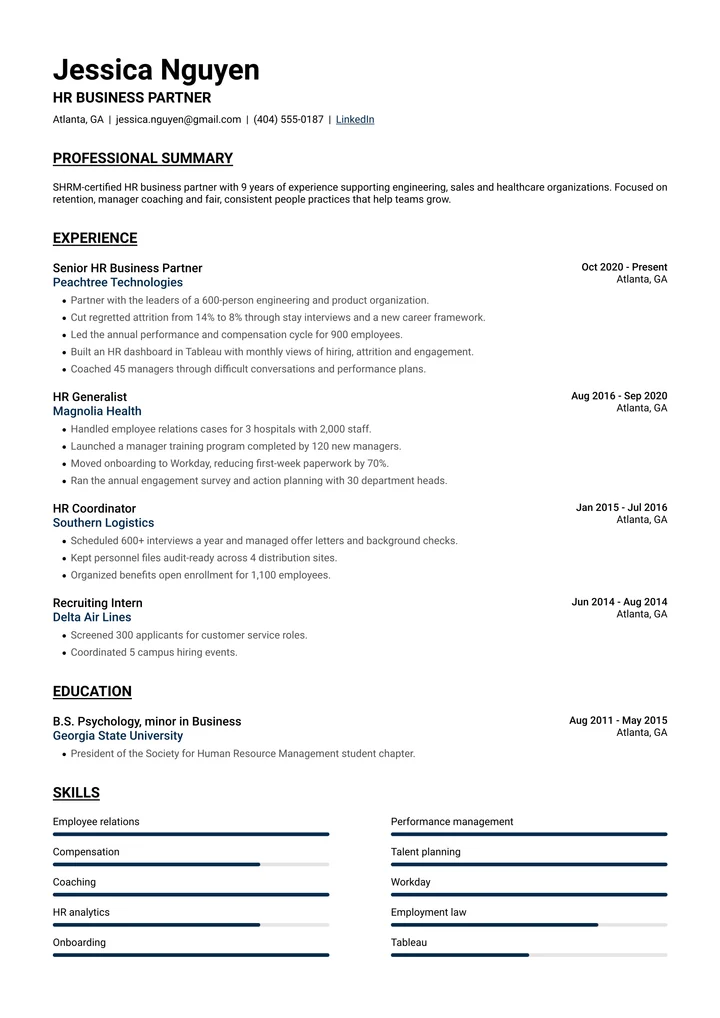
Horizon
One columnUnderlined headings, employers in your accent color and a round photo in the corner.
See the template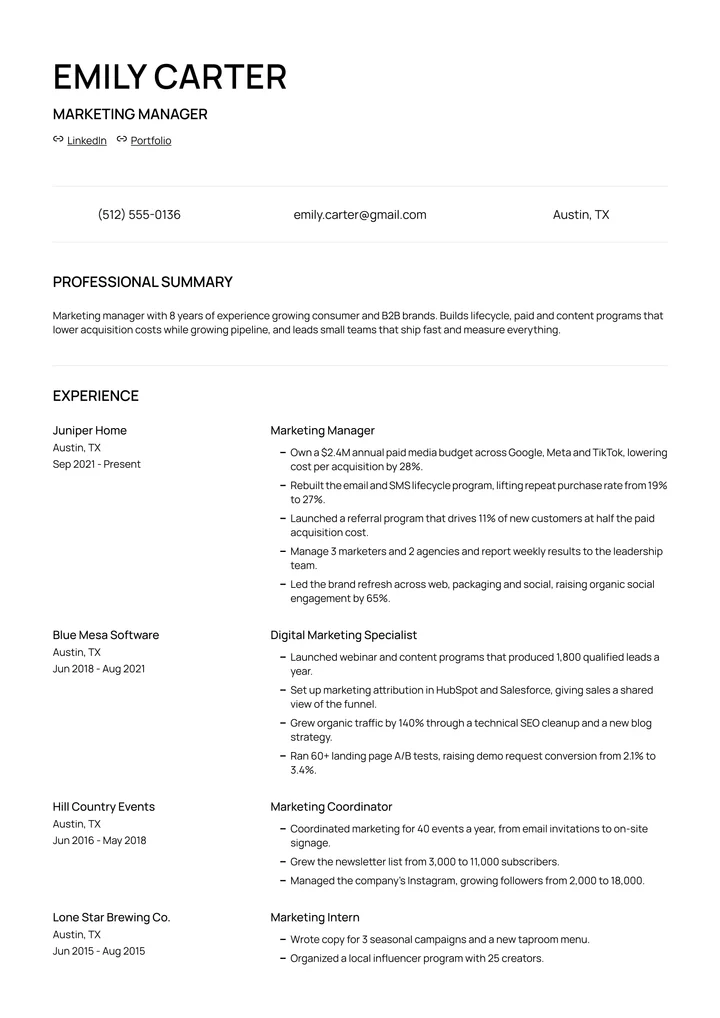
Modern Pro
One columnA big, bold name, a contact row with icons, and employers in their own column.
See the template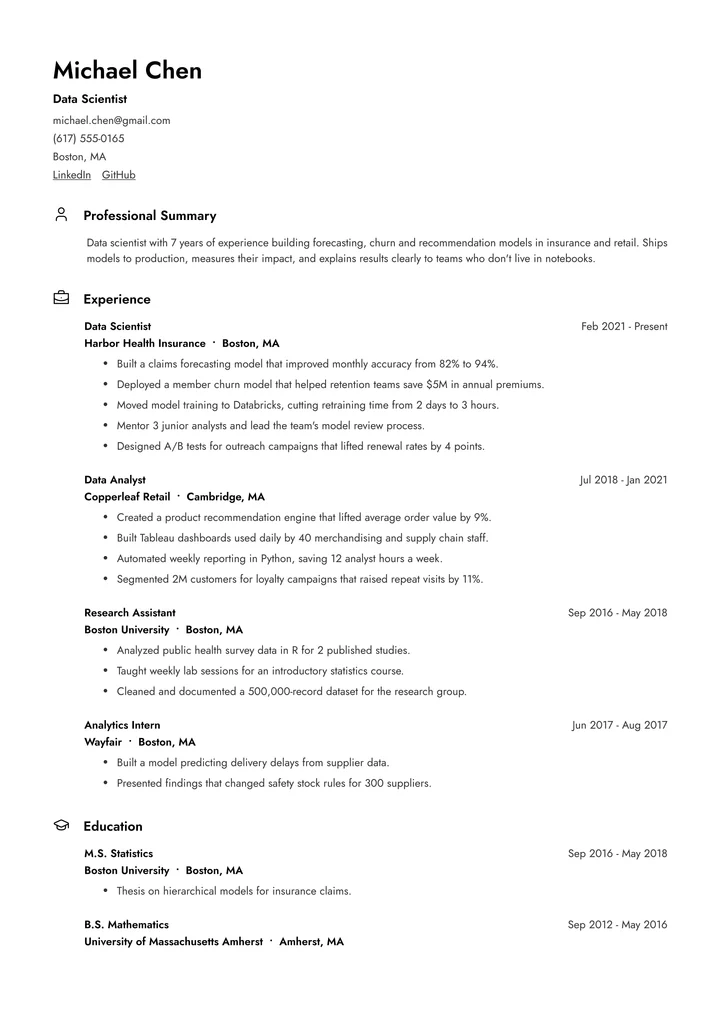
Clean
One columnMinimal and airy: a photo beside your name and small icons next to each heading.
See the template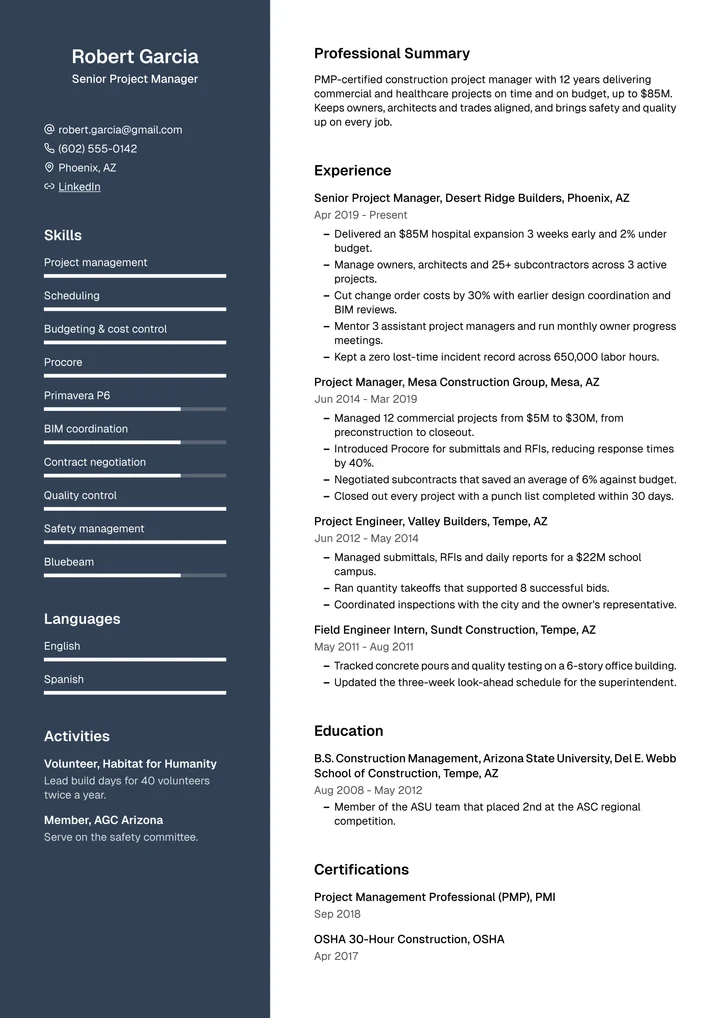
Executive
Two columnsA full-height sidebar with your photo, contacts and skills, beside a roomy main column.
See the template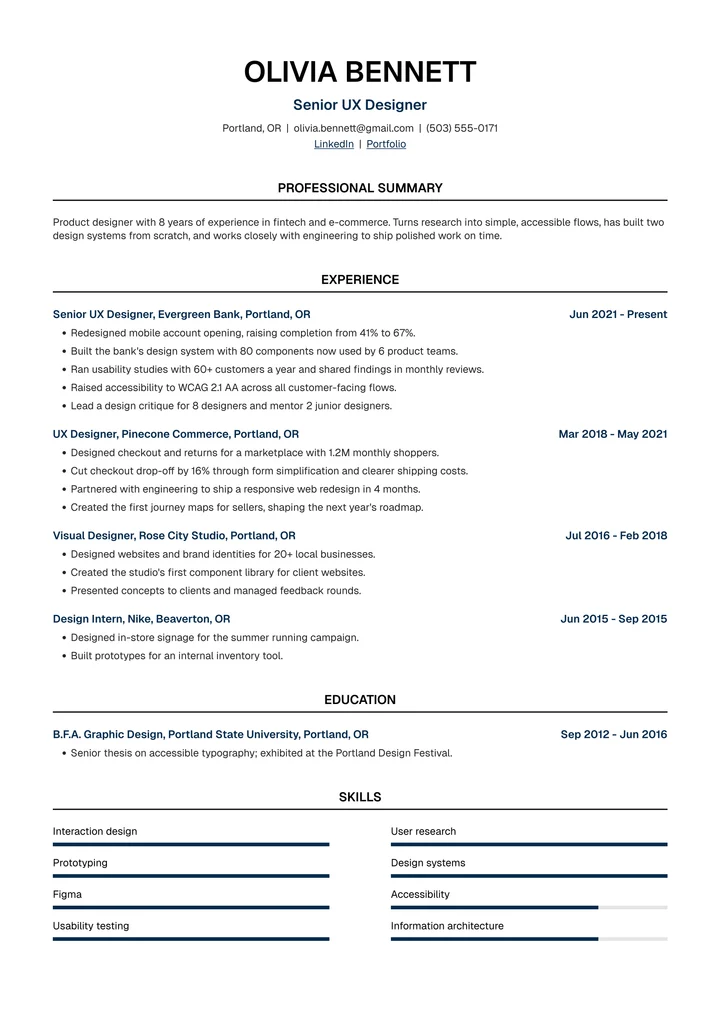
Meridian
One columnA centered header, headings over thin rules and your experience in one clear column.
See the template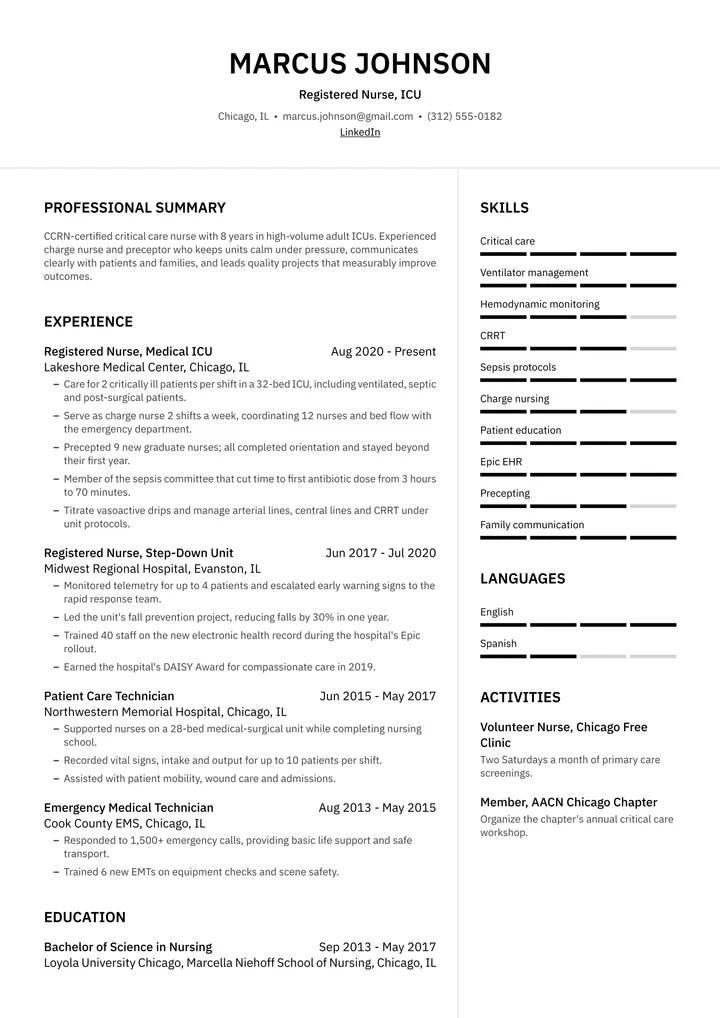
Quantum
Two columnsA centered photo and name, then your experience beside a long skills column.
See the template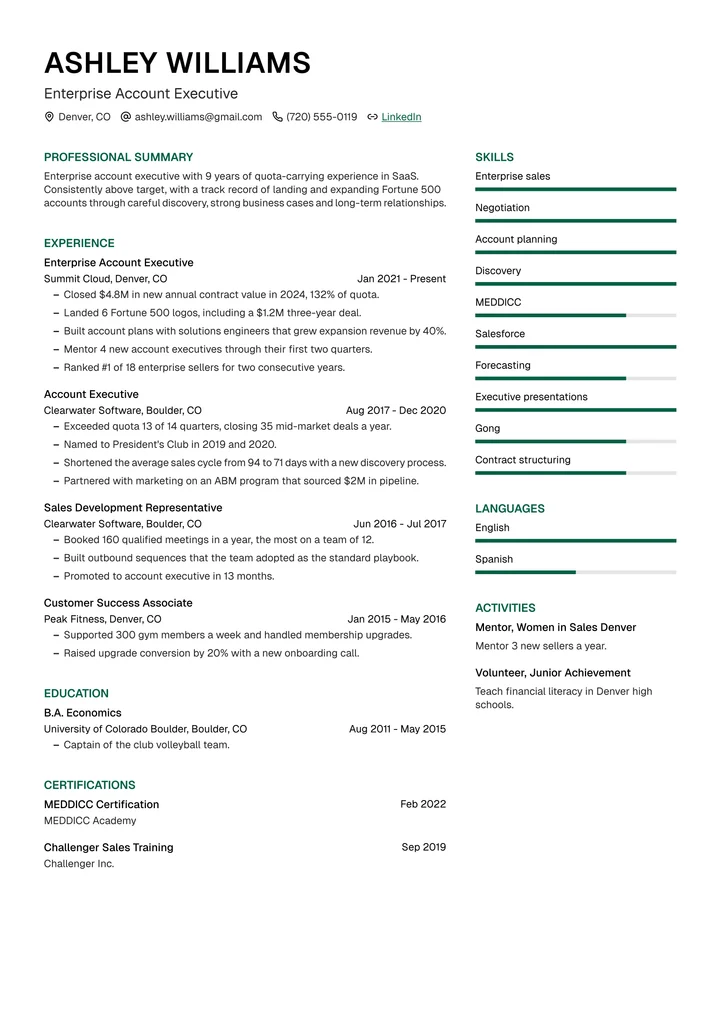
Prism
Two columnsColor-accented headings, a round photo and a right column for competencies and skills.
See the template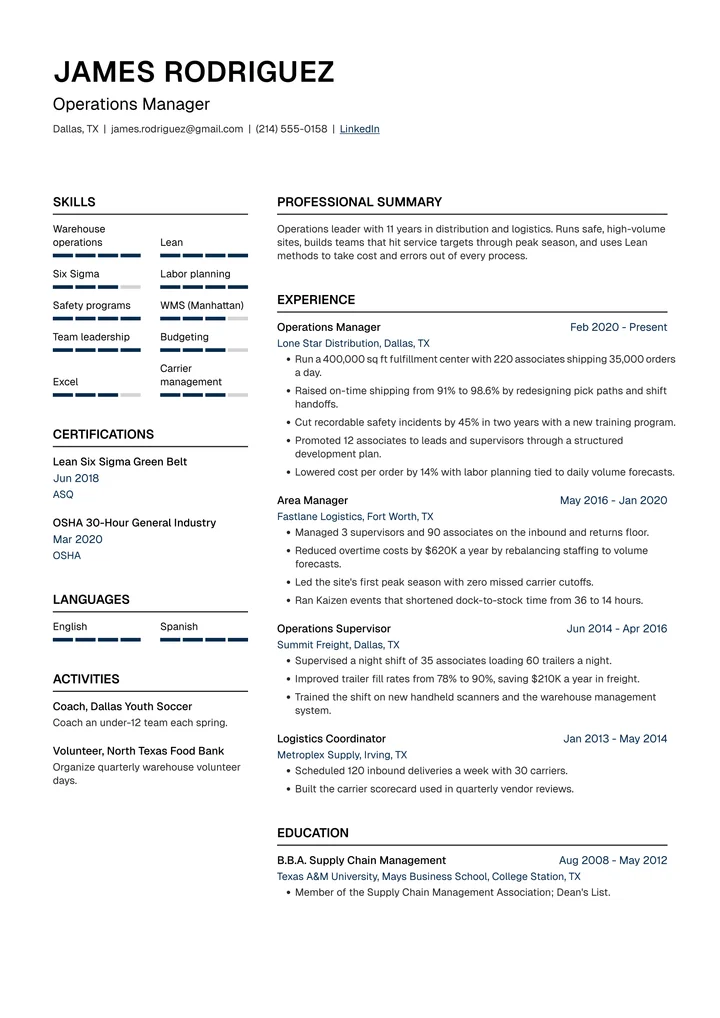
Atlas
Two columnsTwo columns: skills, languages and projects on the left, your work history on the right.
See the template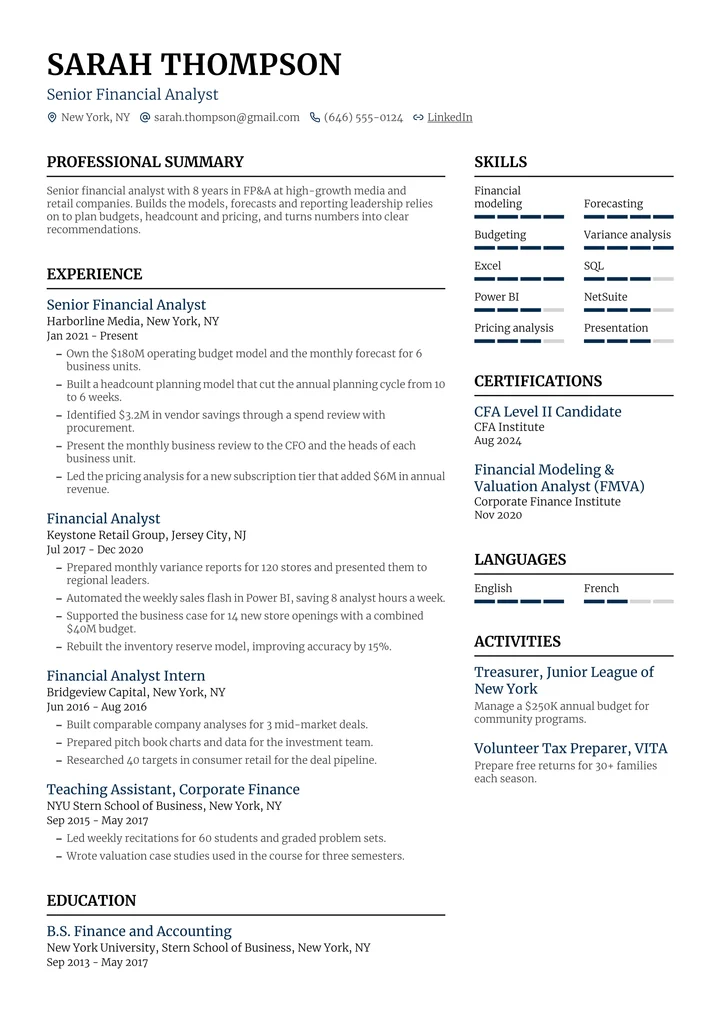
Nova
Two columnsSerif type, a photo in the corner and a sidebar for competencies, skills and languages.
See the template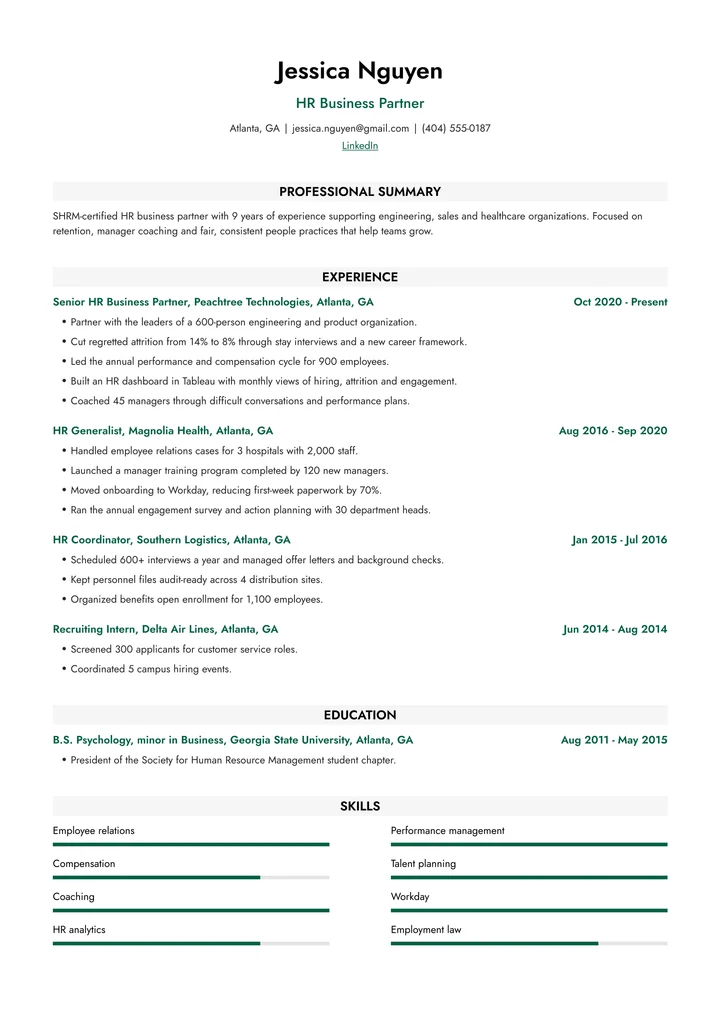
Summit
One columnA centered header and headings on soft gray bands, with employers in your accent color.
See the template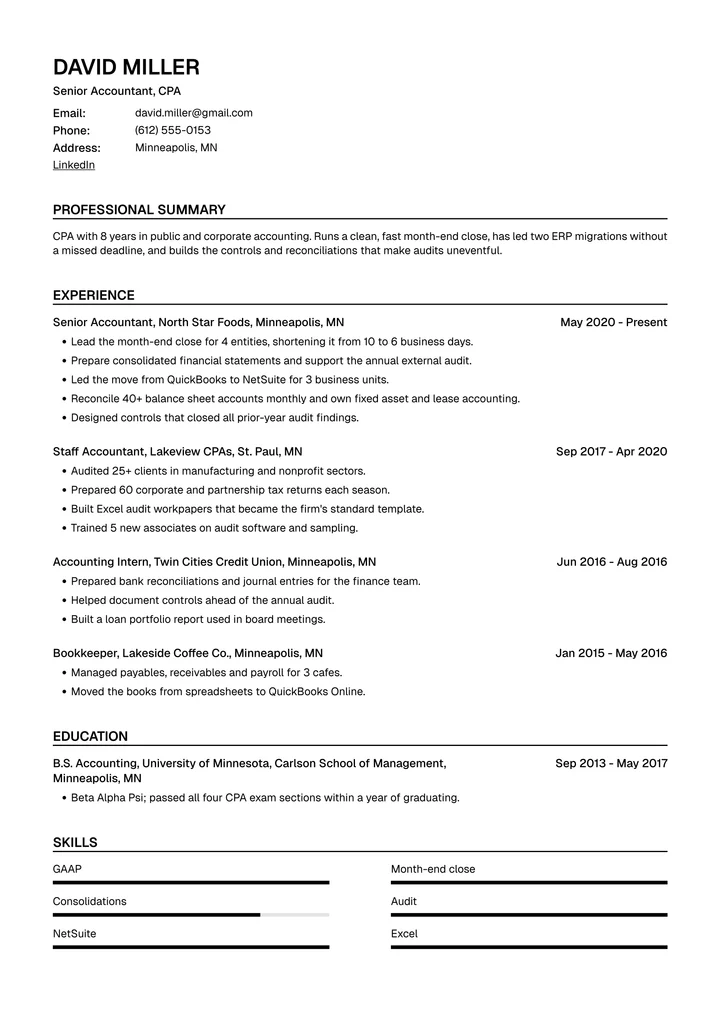
Classic
One columnA photo beside your name, labeled contact details and ruled headings. Traditional and clear.
See the template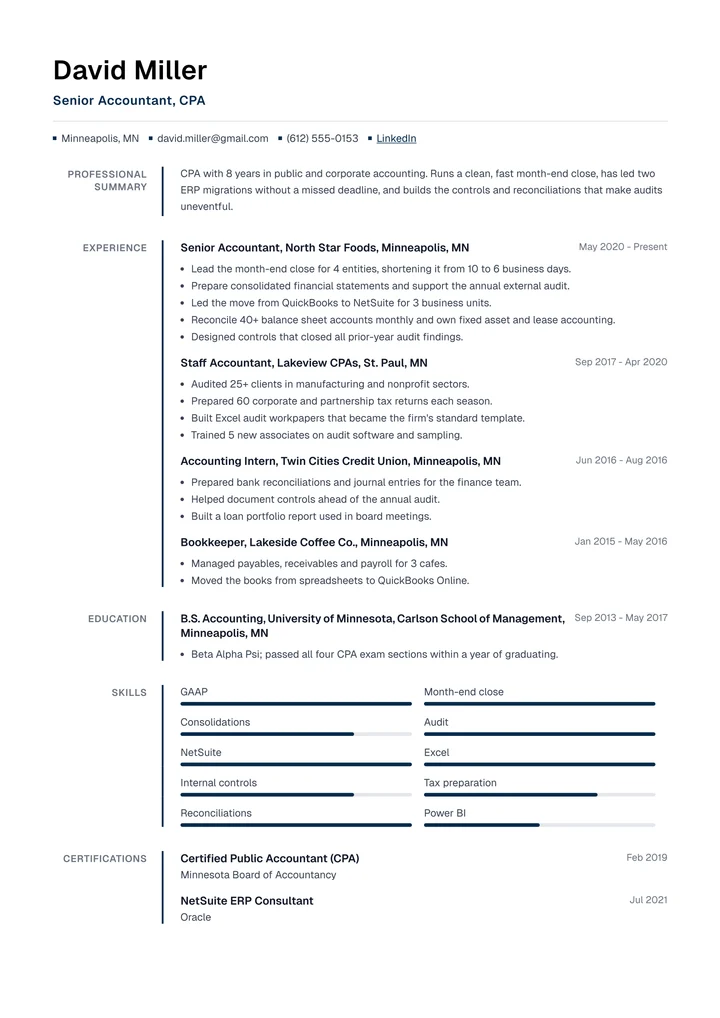
Ledger
One columnSection titles in a narrow left column, set off by a thin accent line. Easy to scan top to bottom.
See the template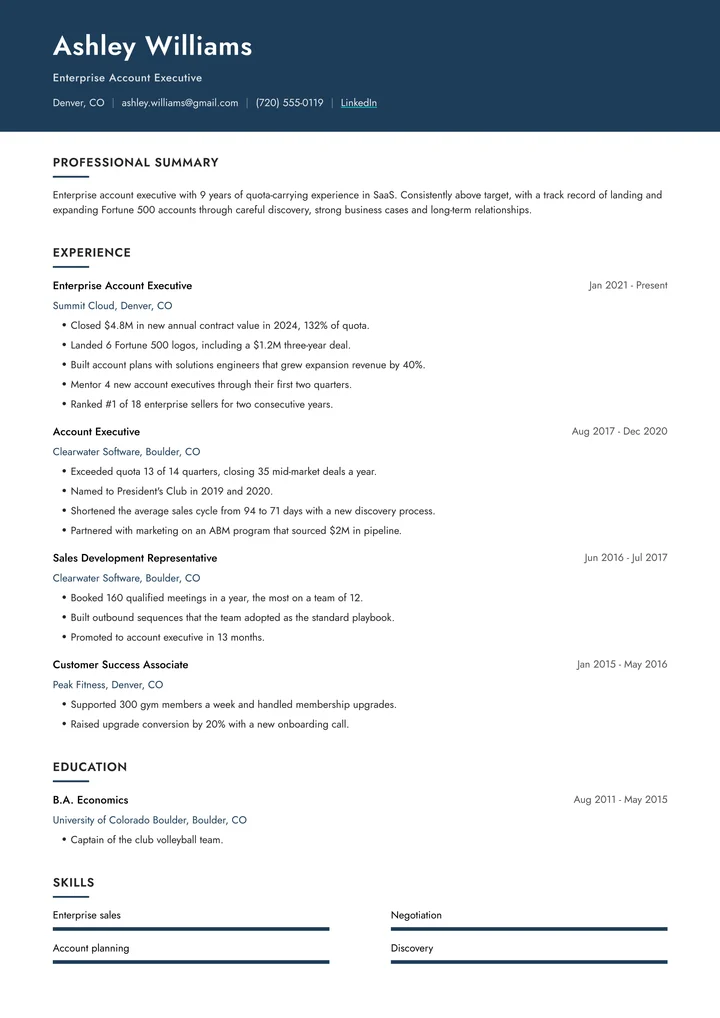
Cascade
One columnA bold color band across the top with your name and photo, then a clean single column.
See the template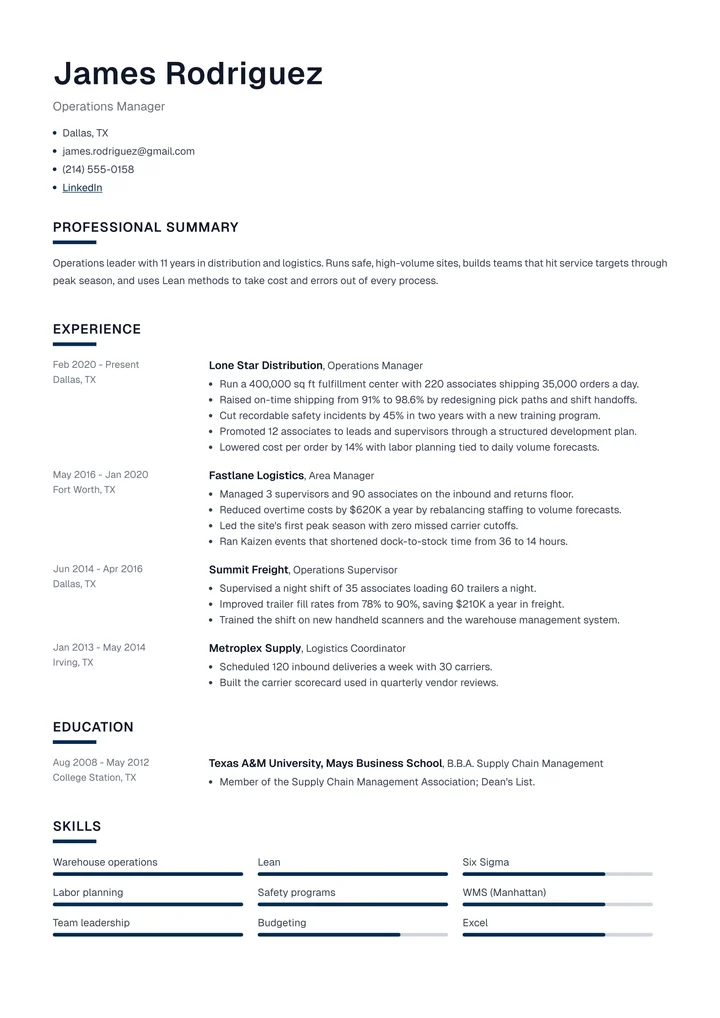
Onyx
One columnA large name, dates in their own column and short accent bars under each heading.
See the template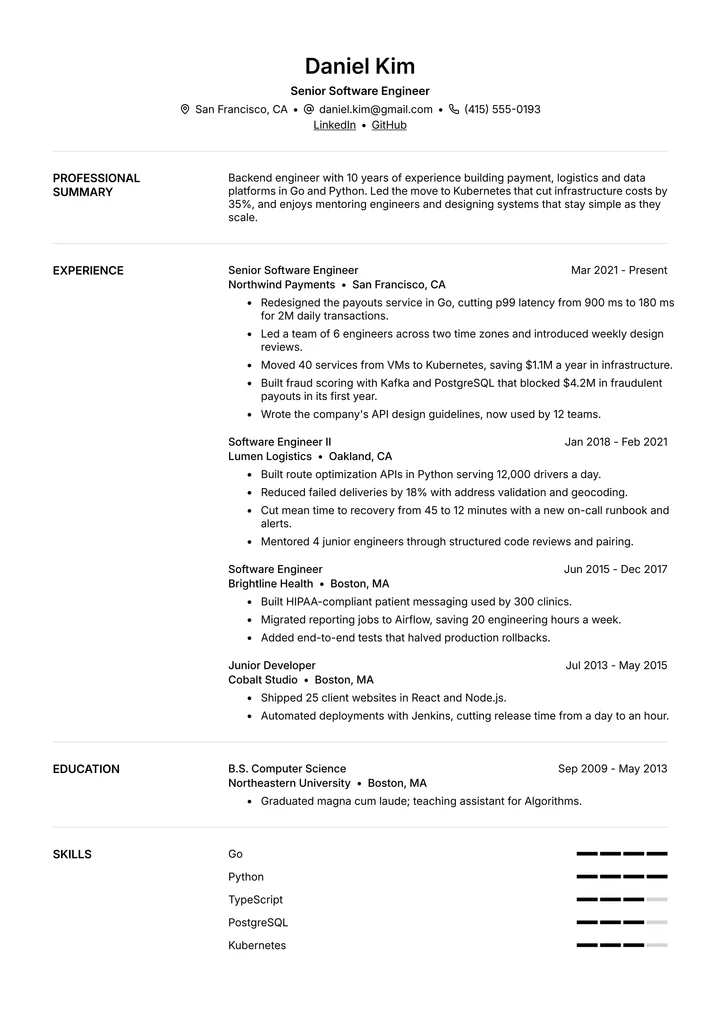
Default
One columnA centered header and headings in a left column. Neutral, versatile and easy to read.
See the template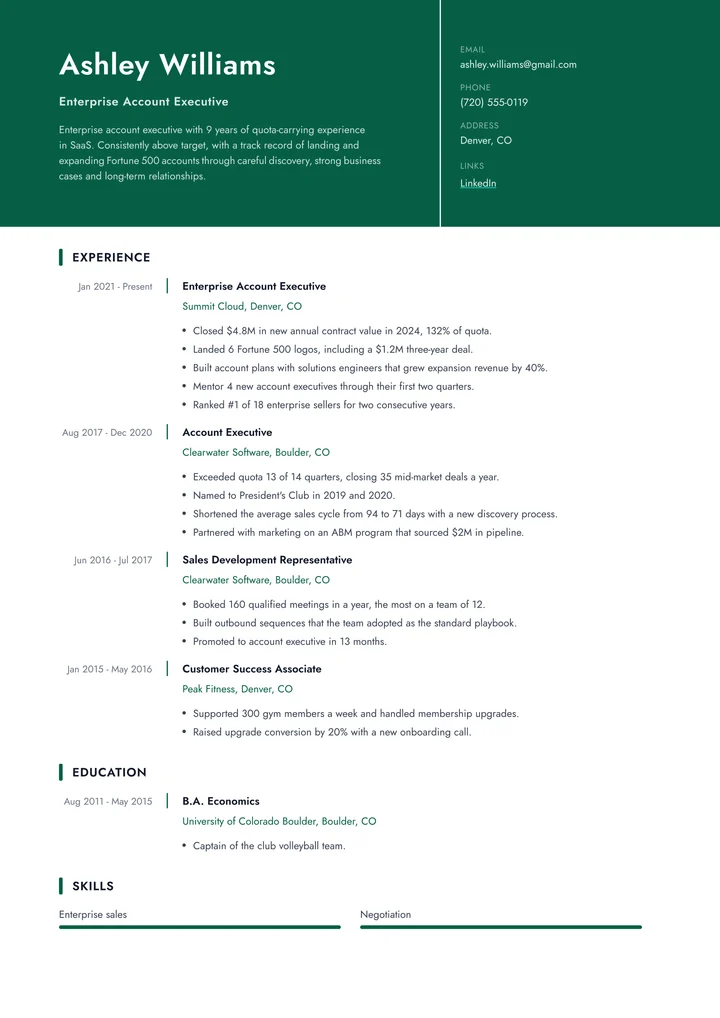
Pulse
One columnA split header: your photo, name and summary in a color block, contacts beside it.
See the template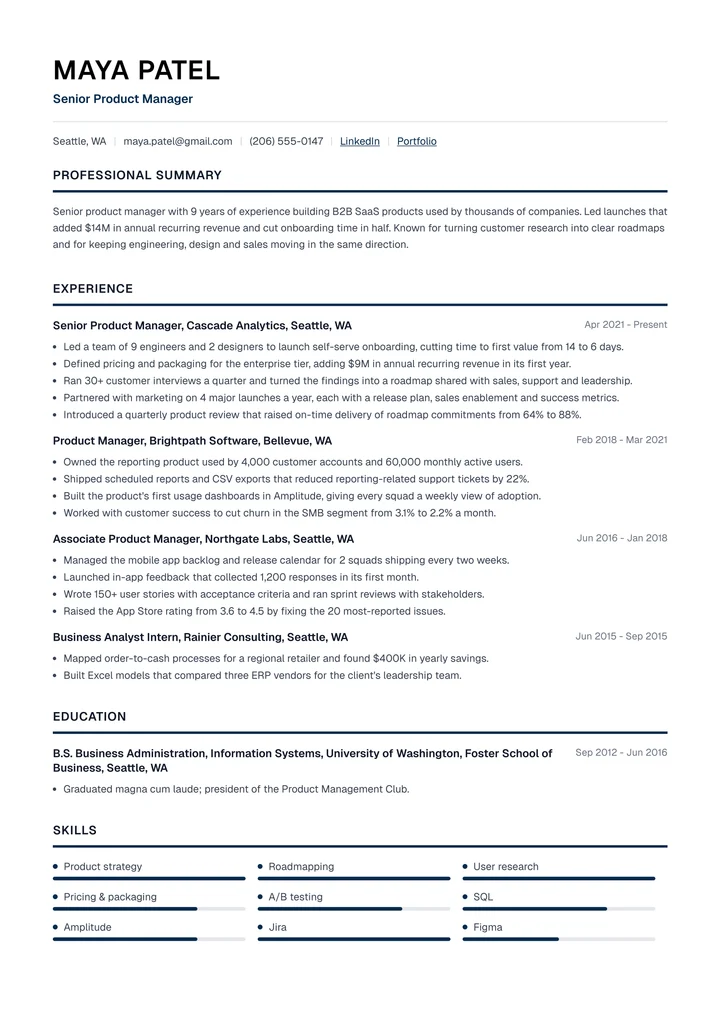
Strata
One columnA round photo beside your name, strong ruled headings and skills in three columns.
See the template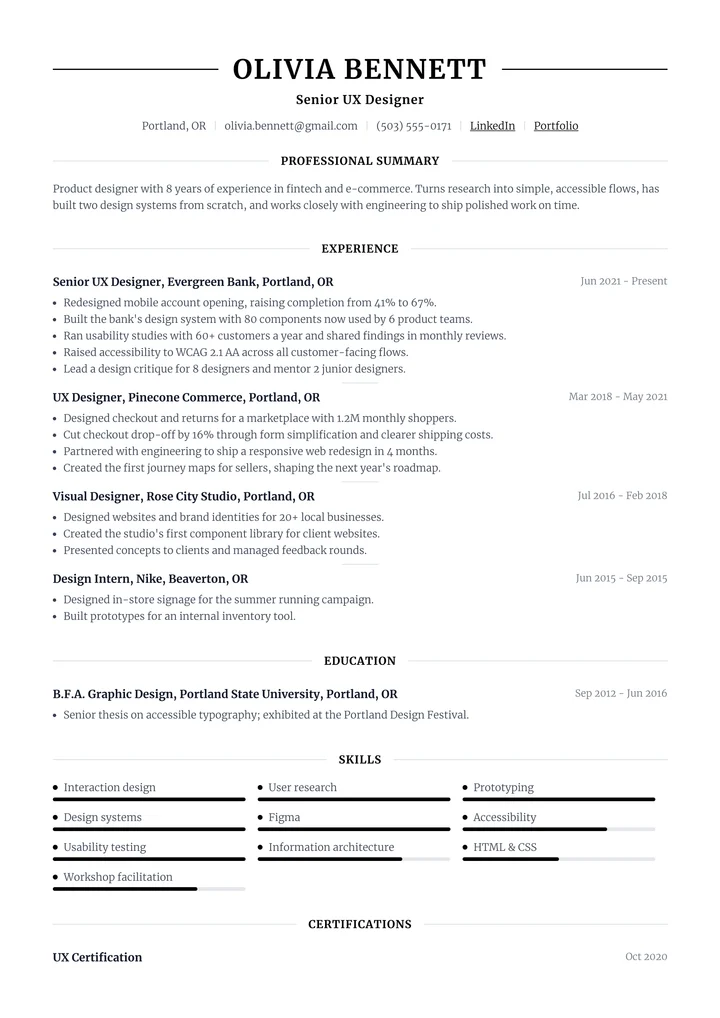
Tableau
One columnCentered and elegant: your name between two lines and headings framed by rules.
See the template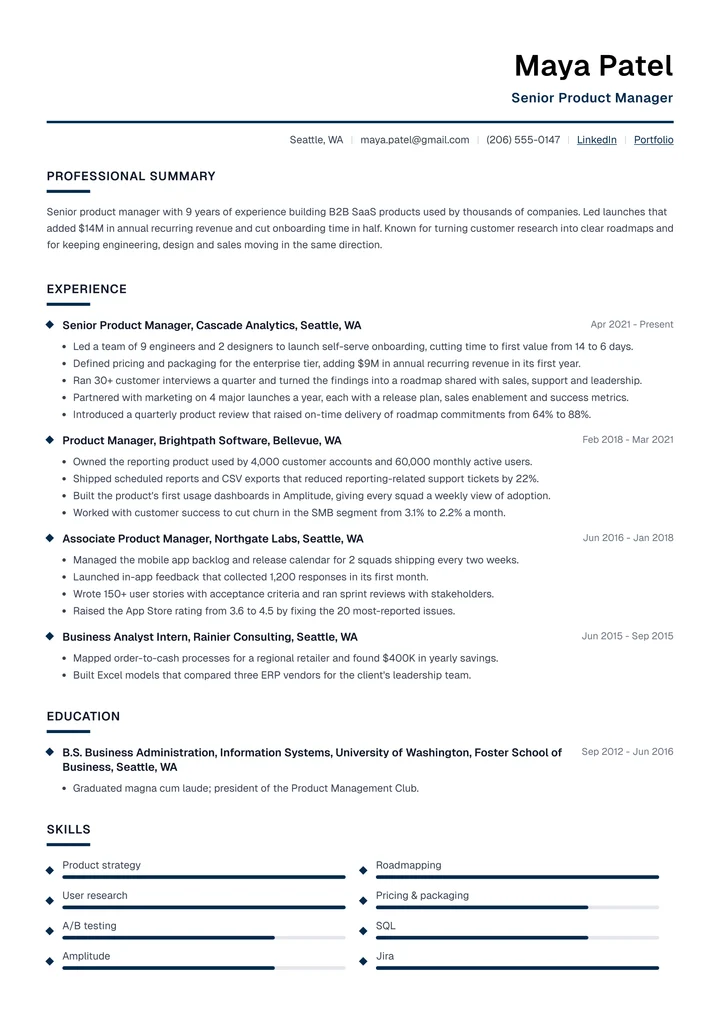
Apex
One columnYour name and title set to the right over an accent line, with diamond markers.
See the template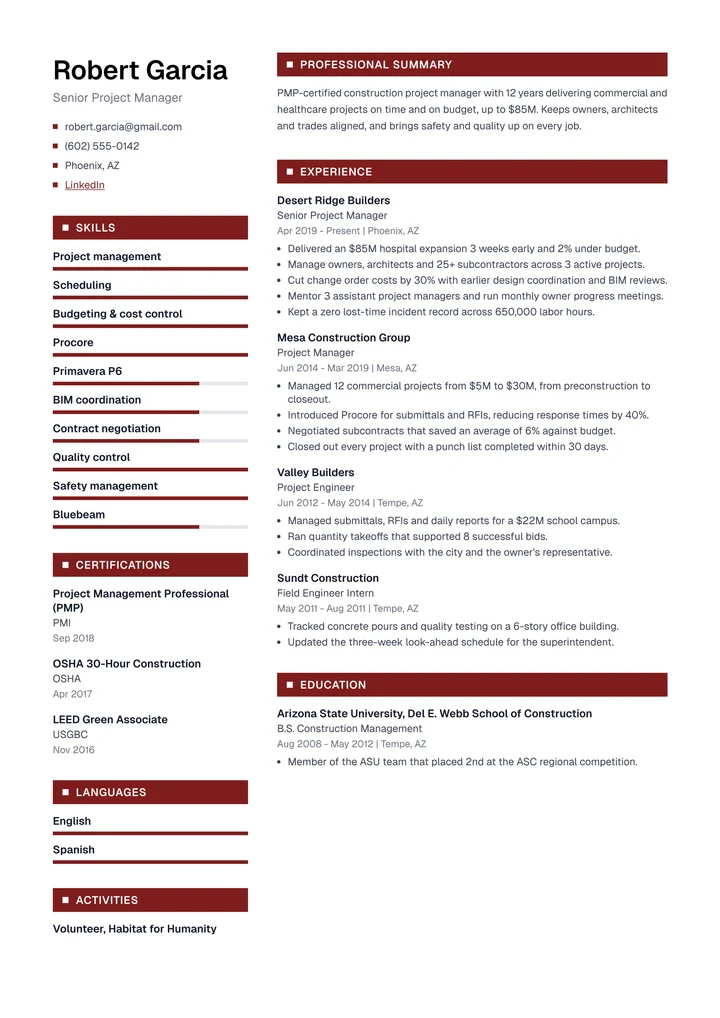
Herald
Two columnsHeadings on bold color bars, with your name, photo and skills in a left sidebar.
See the template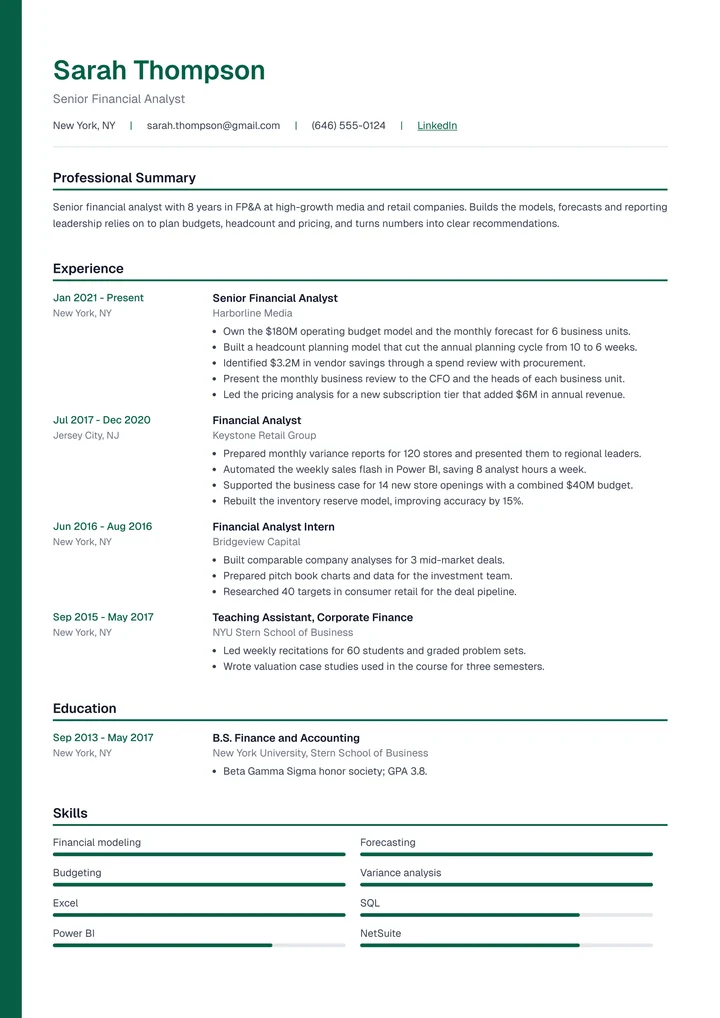
Beacon
One columnA thick accent border down the page, your name in color and dates in their own column.
See the template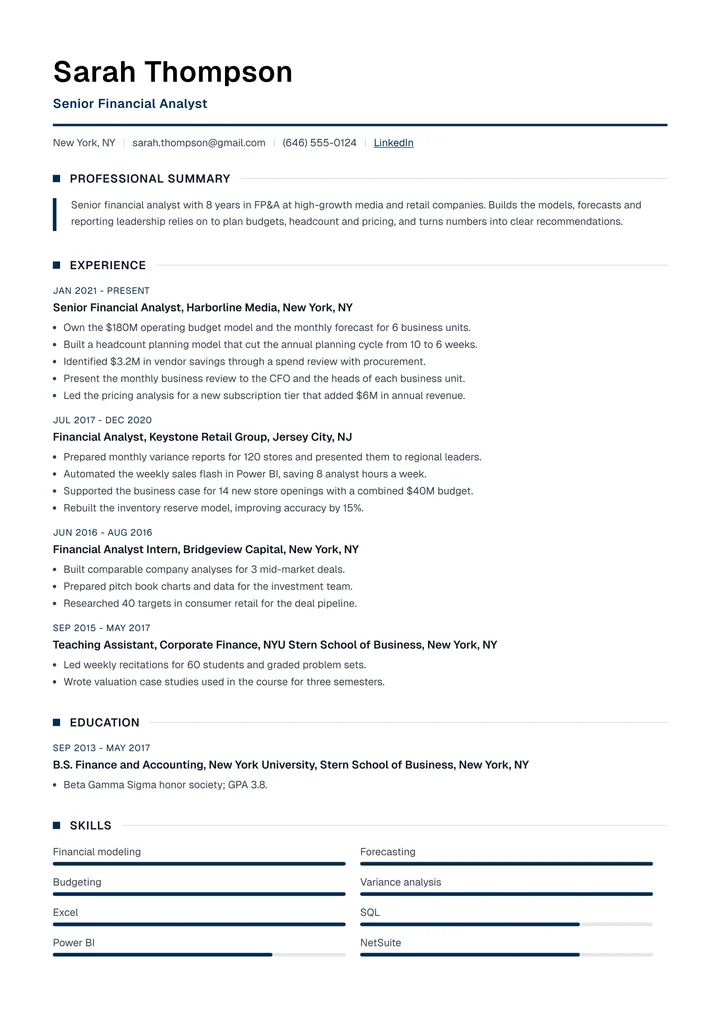
Verso
One columnEditorial: square markers on headings, dates above entries and your summary as a pull quote.
See the template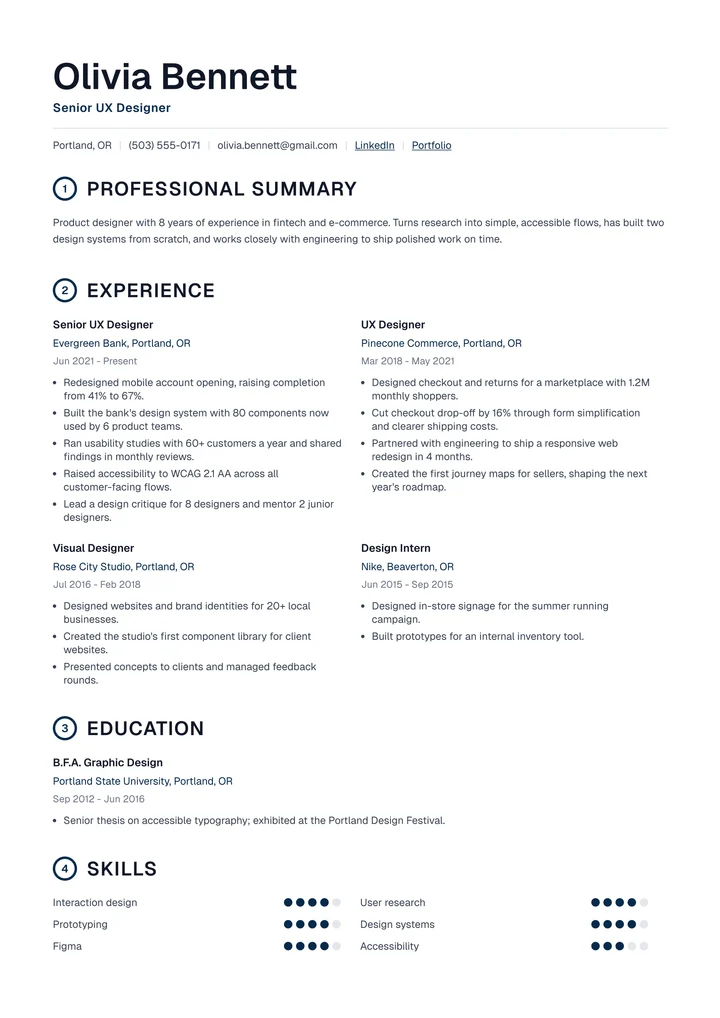
Folio
One columnNumbered sections, oversized headings and roles side by side. Typographic and bold.
See the template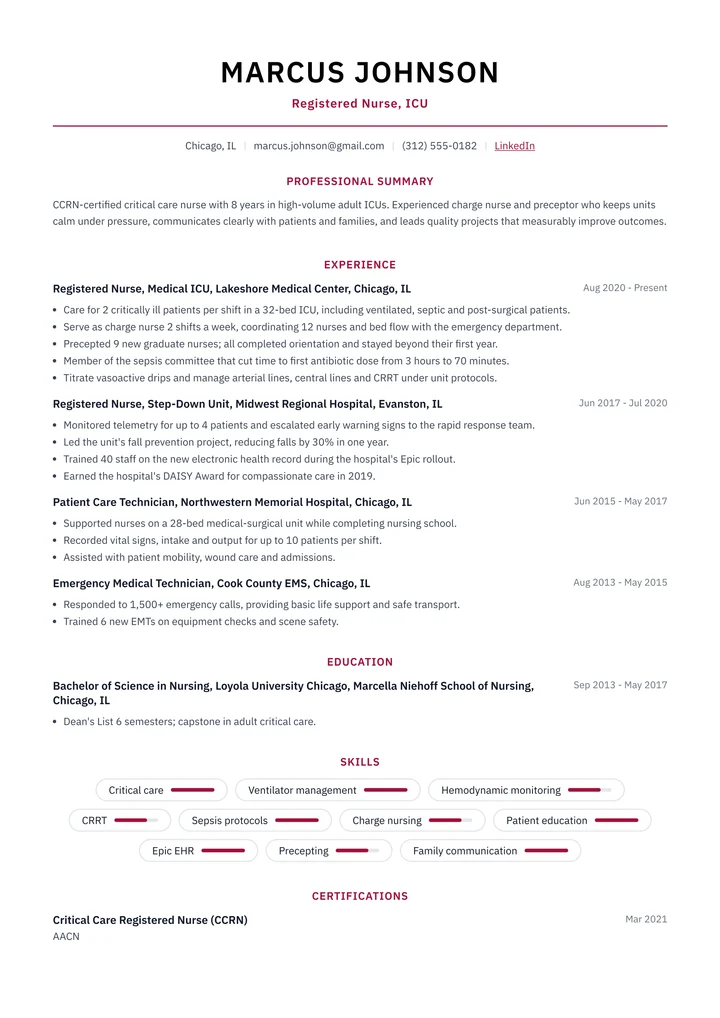
Ridge
One columnCentered and symmetrical, with accent-colored headings and skills as rounded tags.
See the template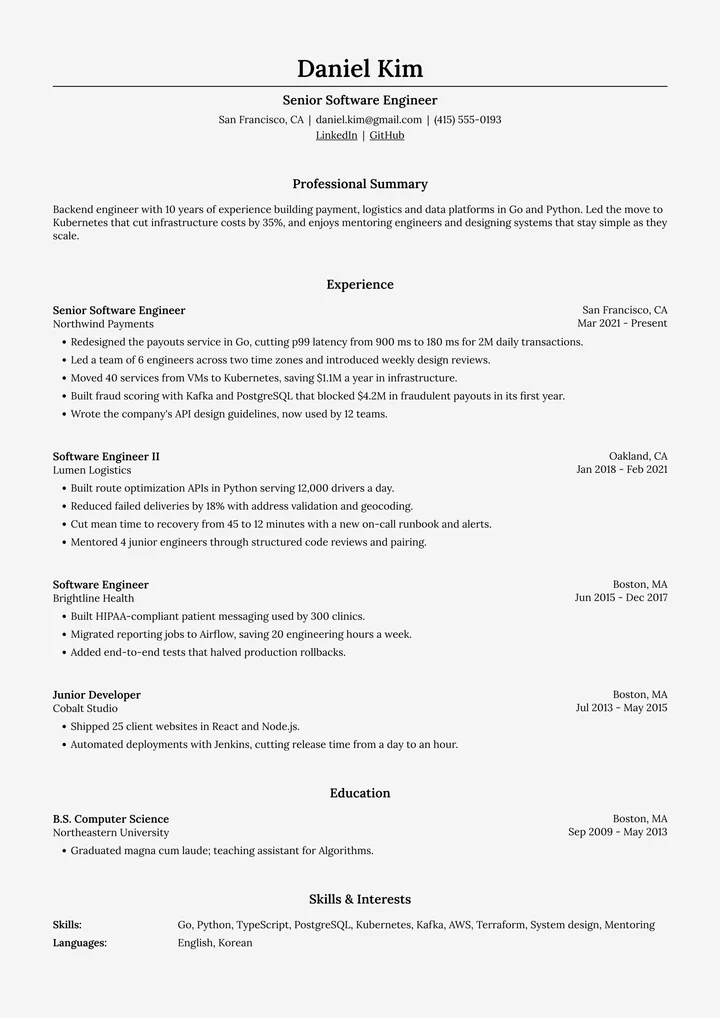
Harvard
One columnThe traditional format universities recommend: centered, serif and education first.
See the template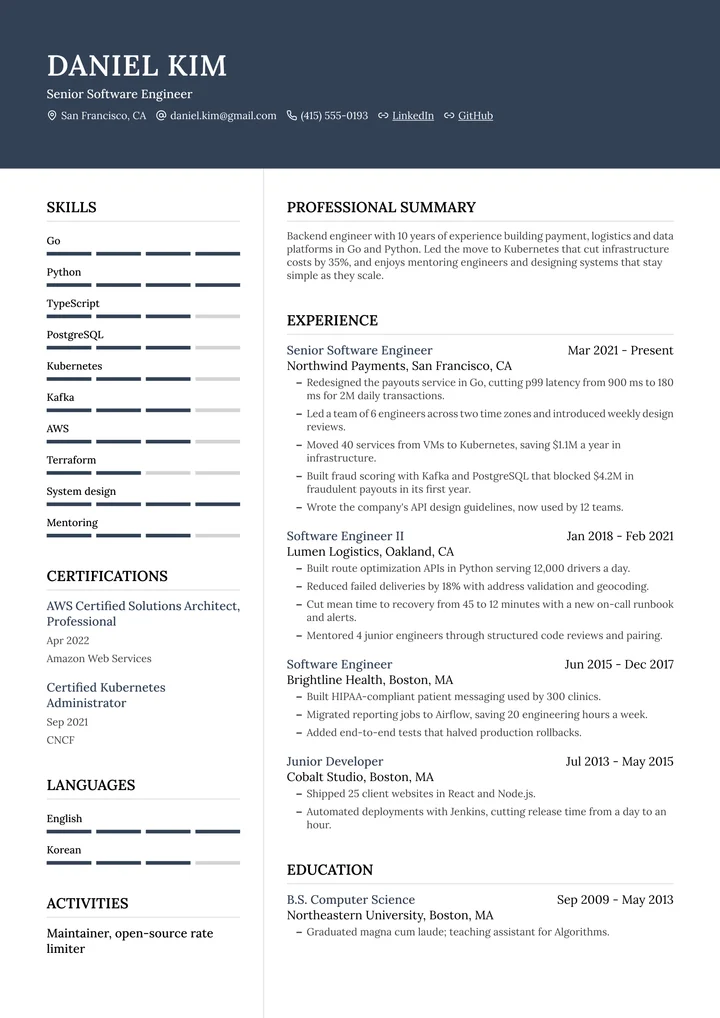
Vantage
Two columnsA dark header with your photo, serif type and a sidebar for competencies and skills.
See the template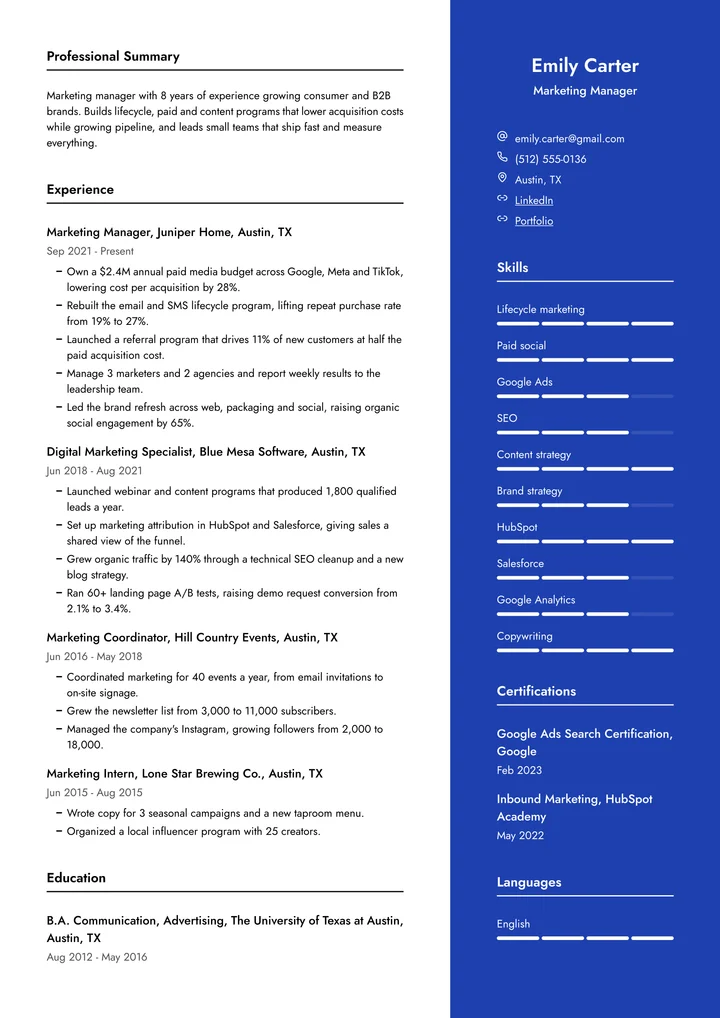
Vertex
Two columnsA bold color sidebar on the right with your photo, contacts, skills and languages.
See the template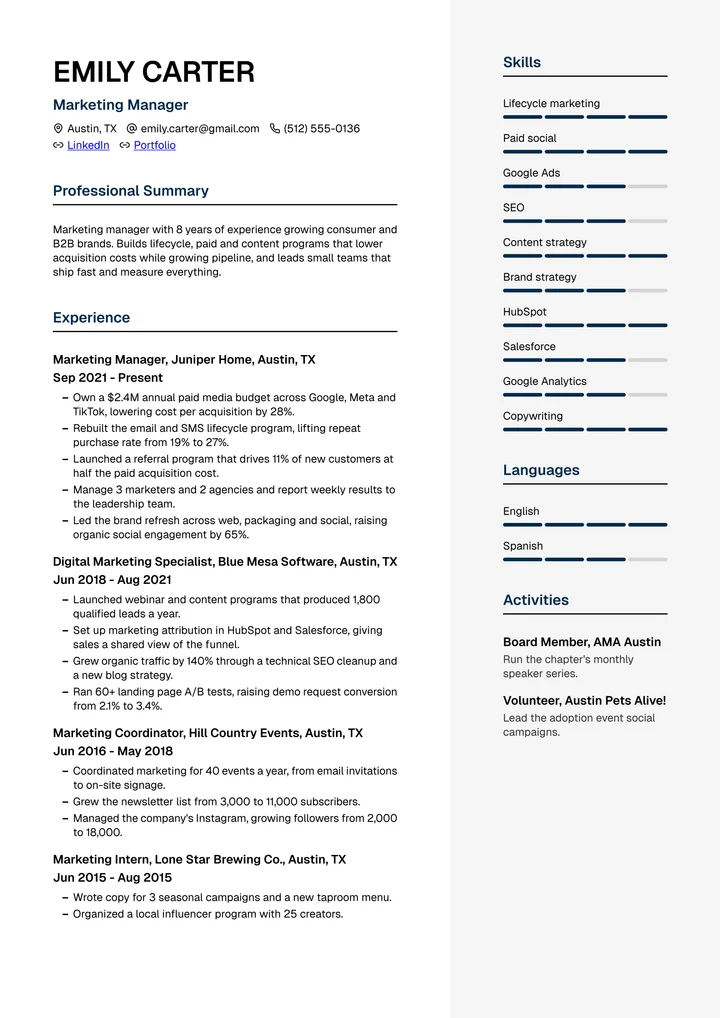
Lattice
Two columnsYour experience on the left, a light side panel with your photo and skills on the right.
See the template
From template to finished resume
1Pick a template
Start with any design. You can switch later in one click.

2Tell your story
Talk to the resume expert, or import your old resume.
3Check it and apply
Fix what the ATS flags, then download your PDF.
Questions, answered
Something else? Email us
Are these resume templates ATS-friendly?
Yes. Every template exports a PDF with real, selectable text and standard section headings. We fill every template with a full sample resume, export the PDF and read its text back the way an applicant tracking system does, then check that every field comes through.
One column or two columns?
Both read correctly in our ATS tests. One column is the safest choice for traditional employers and long careers. Two columns fit more on a page and suit roles with many skills, languages or certifications.
Can I change a template's colors and fonts?
Yes. Most templates come in 32 accent colors, and every template lets you pick from 9 fonts and adjust the font size, spacing and margins. You can switch templates in one click and your content stays.
Which templates have a matching cover letter?
Zenith, Horizon, Modern Pro, Clean, Executive, Meridian, Prism, Atlas, Nova, Classic, Default. Each has a cover letter in the same design.
Be the candidate they call back
Pick a template, tell your story, and see what an ATS reads before you apply. Start free, no credit card.
4.58out of 5


49,000+ job seekers